Moving Beyond the Spreadsheet: Contact and Deal Management for Consulting Firms


Smart consulting practices are putting relationships at the center of their tech stack
How do you take control of your pipeline?
The journey from finding a new opportunity to closing a client engagement can involve dozens of people across your team and professional network. Accurately tracking the deal flow—every person involved, every Zoom call, every meeting, document, and story shared over dinner—is an exercise in building deeper, longer-lasting business relationships.
But hoping you’ll remember a key detail about a client’s account from a one-off email you received six months prior puts you at risk of forgetting something that could have moved your project forward.
For decades now, spreadsheets have been the go-to for contact and deal management. But as your network grows larger, your company’s portfolio broadens, and your deals become more complex, spreadsheets become ineffective, and losing key information becomes inevitable.
Fortunately, new software and SaaS platforms have evolved to replace the spreadsheet and modernize the dealmaking process. These relationship intelligence platforms, designed with people and connections at their core, are giving teams the data they need to focus on the relationships that support their business. Unfortunately, many consulting firms have yet to adopt them.
As your deals have become more complex, your spreadsheets have become ineffective.
What a CRM for consulting should look like
Introducing a smarter, sleeker spreadsheet alternative
Implementing a traditional customer relationship management (CRM)platform can take months and weigh down your team with extraneous bells and whistles. The result: your firm can fall behind tech-savvy competitors.
These competitors are turning away from outdated solutions and toward a new generation of relationship-oriented CRMs that borrow from spreadsheets only those features that consulting practices need: they’re easy to use, and most users are already familiar with the way they work.
But these “relationship intelligence platforms” go beyond the limitations of spreadsheets. They automate data capture and are easily searchable and navigable. Data transfer and integration into existing workflows is straightforward. They provide detailed insights that help you nurture new and existing business relationships. And they provide easy-to-understand analytics to help you manage your deal pipeline.
Spreadsheets don’t close client engagements
Because spreadsheets have been the norm for so long—and consulting firms continue to successfully close deals—many have never explored other, superior solutions. But new, intelligent CRM platforms are using automation and AI to help consultants.
Make data-driven decisions with functionality that spreadsheets simply can’t provide.
This guide will walk through these changing technologies, what features to look for when choosing a new CRM platform, and how to move beyond the spreadsheet and implement a more forward-thinking solution. You’ll learn:
- Why spreadsheets are the wrong tool for managing a consulting firm’s relationships
- How new, purpose-built SaaS platforms are improving on the spreadsheet model
- What features a relationship intelligence platform can provide
- How a relationship intelligence platform can manage your pipeline and contacts and help you close more engagements
The rise and fall of the spreadsheet
The first version of the digital spreadsheet was released in the early 1960s. In 1979, the Apple II helped propel spreadsheets from an experiment to a household tool.
Then, in September 1985, Microsoft released the first version of Excel for the Macintosh, which quickly swept the market for personal computers. Over the next decade, the Microsoft Office suite—of which Excel was a key component—became the gold standard for personal and professional productivity applications.Today Google and Apple offer their own spreadsheet flavors, and there have been many others as well.
While the spreadsheet interface has evolved considerably over the last three decades, its core capabilities haven’t changed all that much. Most people are capable of using one. But while experts with careers worth of experience have figured out how to manipulate, manage, process, import, export, and analyze the data in spreadsheets, few people are armed with more than rudimentary knowledge of a spreadsheet’s potential. Many use it more or less like digital graph paper.
“Most Excel users never enter a formula,” admits a former member of the Excel development team. “They use Excel when they need a table. The gridlines are the most important feature of Excel."
Excel is no longer enough for successful consulting practices
Excel’s rows and columns are powerful calculation tools, but they’re no longer able to keep up with firms managing previously unfathomable amounts of information: business networks in the tens of thousands, industry news, company hiring trends—data whose natural habitat is not a spreadsheet.
Spreadsheets may be a familiar, global standard, but more client engagements requires engagement-closing tools, and consulting practices are finding cracks in their spreadsheets’ facades.
If your firm still uses spreadsheets for tracking your engagements, you’ll likely recognize some of the following issues…
"Spreadsheets are error-prone, tedious to manage, and keep information siloed.”
Error-prone data entry leads to error-prone business development
In “Break the Bad Data Habit,” the Harvard Business Review says that “there are two interesting moments in the lifetime of a piece of data: the moment it is created and the moment it is used.”
In other words, minor errors that occur the moment data is created can lead to further errors when it is used by your team in the future: garbage in, garbage out.
Manual data entry also distracts from the complex work that dealmakers were hired to do, and a single typo can turn into a misspelled name in an email or a contact unretrievable via a document-wide search. Indeed, entire organizations, like the European Spreadsheet Risks Interest Group, exist to address the spreadsheet’s shortcomings.
“Few would publish a book or article without having it edited first, [but] spreadsheets often get put into use in first-draft form,”
says the group’s chairman Patrick O’Beirne. That rough-draft data can mean losing track of a lead that could have won your next engagement.
Siloed data fosters redundant work and delays engagement progress
Errors don’t only come in the form of mistyped keystrokes. When contact and project information is stored in disparate spreadsheets, team members record duplicate or conflicting data in different places.
“Simply put, if two people take turns working on the same file, forgetting to send the up-to-date version or plugging in locally saved files may cause trouble”
says Michael Sena, director of Senacea Spreadsheet Solutions, a consulting firm specializing in complex Excel projects. This lack of transparency makes it almost impossible to know which information is correct and equally as difficult to prevent other members of your team from doing overlapping rather than complementary work. Siloed information means your team can’t work together efficiently.
The advent of online multi-user spreadsheets that can be edited in real time ameliorates these silos to some extent, but evenGoogle Sheets or Office 365 require users to actively share new documents or upload them to the proper shared folder for other users to make efficient use of them.
Tedious data entry wastes your experts’ time
A lack of data integrity and transparency interferes with client-facing activities. It also makes contact and deal management more time-consuming and monotonous. Teams that depend on spreadsheets to manage their contacts waste hours per week entering data, hoping that it’s accurate when it comes time to use it or burning even more time verifying that it’s correct. And a protracted deal is a jeopardized deal.
A relationship management platform for a relationship-driven industry
When you meet a new acquaintance on a Zoom call or for a cup of coffee, you may be opening the door to a new connection—and possibly a new business relationship. Maybe you’ll never see them again; maybe they’ll be instrumental to the biggest project of your career.
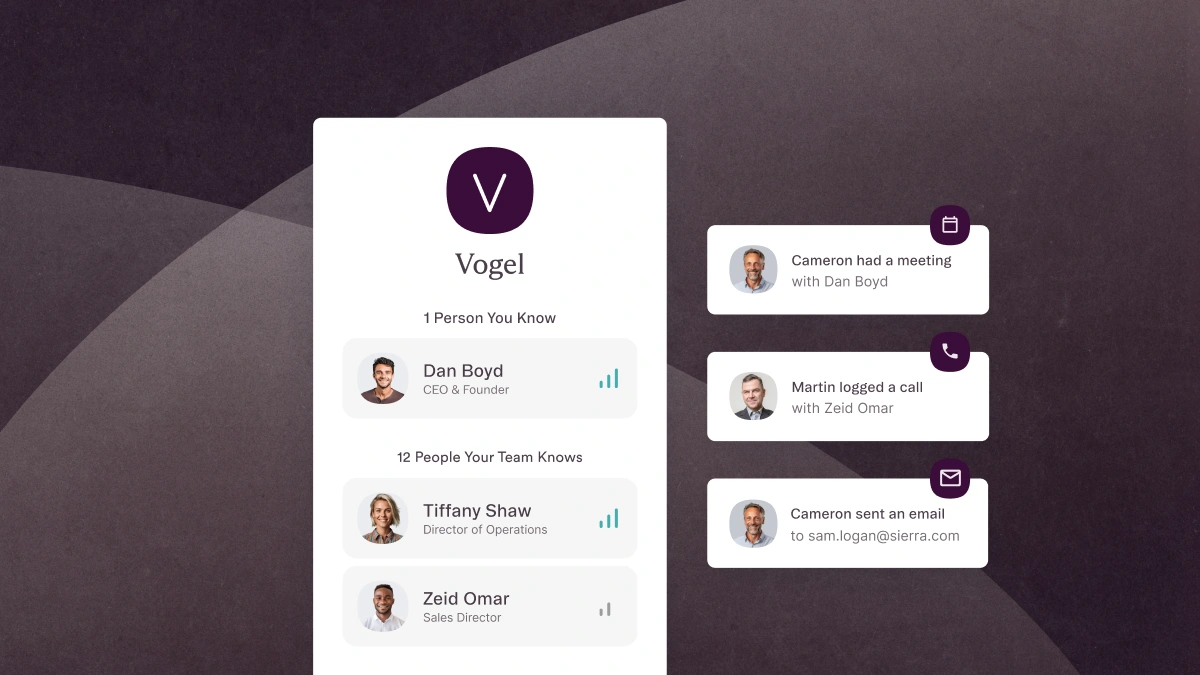
This is why relationship intelligence is the defining trait of a platform for consulting firms. Information that, for many teams, is currently spread across multiple browser tabs, multiple platforms, and cells in multiple spreadsheets is now automatically captured, processed, enriched, and turned into insights that inform successful business decisions. Your team’s knowledge is curated and enriched before it’s presented, surfacing information on how well your teammates know their contacts and what kind of engagements your team should be pursuing.
With this information at your fingertips, your team can take action confidently, knowing that you’re speaking to the right decision-maker at a potential client’s organization, or that a new opportunity is similar in its anatomy to previously successful projects.
Your new insights needn’t end where your network does. The people and organizations in your CRM can be enriched by both proprietary internal datasets and datasets from external data partners: data that can fill in gaps in your team’s knowledge about all their business relationships.
"Relationship intelligence is the insight into your team’s network, business relationships, and customer interactions that help you find, manage, and close client engagements. The “intelligence” is enriched with data from key third-party sources to provide information on which contacts in your network can advance a project.”
What can a relationship intelligence CRM do for you?
Automate data capture
A platform that improves team productivity and simplifies engagement management automatically captures your team’s“data exhaust”—details pulled from email communications, meetings, and contact information such as names, roles, industry, and source of introduction—so every contact is documented in your CRM. This also ensures accuracy, so you never have to worry about misspelling a client’s name or creating a duplicate account. Auto-generated reminders help you follow up with contacts in your network or revisit prospects that you’d placed on pause for a while, so you don’t lose out on one opportunity while managing another.
Manage client engagements transparently
Successful consulting practices track their project pipeline on a centralized platform to ensure contact and company profiles are accurate, enriched with information from key third-party sources, and always accessible to the entire team. Additionally, with a purpose-built consulting CRM platform, your team can easily—and automatically—receive updates as your most lucrative client projects move down the funnel, customize project stages and views to align with your team’s workflows, and analyze trends in your pipeline to prevent clogs and make improvement to your team’s operations.
Generate analytics easily
Analyzing your own engagement trends is only one function of built-in analytics. With all of your engagement data reliably up-to-date, organized, and consolidated in one place, you can generate custom data visualizations with a few clicks—no more exporting from spreadsheets, digging for missing data, or relying on an analyst. These visualizations can include:
- Pipeline status reports for setting business development benchmarks and forecasts
- Team operations tracking to gauge the progress your team is making on active engagements
- Financial performance monitoring with insights into your most impactful revenue sources
Beyond helping your team focus on higher-quality, more lucrative projects, analytics are also a key storytelling tool. Visualizing your firm’s performance with previous clients can help close new engagements, and building reports for current clients makes sharing successes simpler.
Be confident in your data’s security
Consulting practices manage sensitive, valuable contact information alongside proprietary data. Spreadsheets are still limited by rudimentary security technology: locking them with an encrypted password and hoping they remain safe.
The platforms supplanting the spreadsheet, however, comply with the highest-level security protocols available—including SOC2 Type II and CCPA—in order to keep your data safe, while also remaining in harmony with GDPR.
They also provide custom privacy settings to filter your “data exhaust” and prevent the most sensitive details from being captured. And straightforward, granular privacy controls limit who can view the details of a meeting or access confidential details.
Don’t be afraid to ditch the spreadsheet
“In most cases, Excel is not up to the demands put on it—but that doesn’t stop us,” notes the founder of a platform that supports software development. “There are other tools out there that might be more appropriate, but we don’t use them."
The idea of adopting a completely new platform after decades of relying on the same familiar tools can be daunting. It’s easy for teams that already utilize the Microsoft suite of products to see Excel as a convenient, pre-integrated alternative to adopting a CRM. And legacy CRMs are costly to integrate, onboard, and maintain, but their real costs go beyond their price tag: inaccurate data, wasted time, missed deals, and failed client engagements.
"There are other tools out there more appropriate than spreadsheets, but we don’t use them."
Relationship Intelligence platforms, however, are quick to deploy, user-oriented, well-suited for managing established workflows out of the box, and easy to customize when needed.
Rapid deployment ensures a fast transition
Because the best relationship intelligence platforms are as lightweight as they are sophisticated, deployment is nearly frictionless. While some legacy CRM solutions can take months to properly launch and integrate into your business, intelligentCRM platforms can be up and running quickly—sometimes in just a few days. A free trial period ensures your team is comfortable with the platform.
Intuitive, user-oriented interface design reduces onboarding time
A new set of tools can be intimidating and slow you down until you’re over the learning curve. But facilitating team-wide adoption is imperative: if no one uses the new platform, then its power goes to waste.
Fortunately, because relationship intelligence platforms have built on the spreadsheet model, they look and feel familiar to spreadsheet novices and gurus alike. Anyone who can navigate rows and columns can now just as easily build custom reporting and analytics dashboards, and explore all of your team’s shared data.
A platform that works the way you do
Legacy CRM solutions are stuffed full of generic features for a global user base as broad as Excel’s—features that your team must somehow navigate around. These software suites can also take months to deploy and leave teams dependent on third parties to make even simple changes to columns, fields, or search parameters.
Purpose-built platforms don’t require much prior customization because they are designed to support your existing workflows, and you can make your own changes as needed.
With a more flexible platform, you aren’t dependent on a system architect, admin, or special consultant; if you want a new column for a new type of information, you can add the column. If you need a new report generated, select the data you want to report on and the platform will visualize it for you.
Affinity: A platform designed for consulting leaders
Excel has been called “a virtual playground for accountants,” and according to Excel’s Quick Start training course, it’s “a tool that makes it easy to crunch numbers.”
But you’re a consultant, not a number-cruncher, and the connections in your network are more than numbers in a spreadsheet; they’re relationships carefully cultivated over an entire career—the people you need to remain successful.
Affinity is a relationship intelligence CRM platform—designed with a spreadsheet’s functionality at its core—for consulting practices who value the people behind their deals.
Affinity is single source of truth for your contact and engagement data that provides your team with:
- An intuitive, familiar, spreadsheet-like interface
- A lightweight but sophisticated platform that is quick to implement
- Data captured accurately and automatically from your email and calendar
- Customizable client engagement management views for visualizing your pipeline your way
- AI-driven relationship scoring that leads to warmer introductions by measuring the volume and type of connections between your team and your contacts
- Improved transparency and shared annotation that makes communicating simple
- Easy-to-access, in-depth reporting and analytics
- Automated custom reminders that ensure you never lose track of a connection in your network
- Compliance with the highest-level data security protocols, including SOC2 Type II, GDPR, and CCPA
Excel’s staying power has been formidable. It’s familiar, and it’s easy to use. That’s exactly why spreadsheet functionality is at the heart of theAffinity platform’s user experience. We’ve adapted everything you love about Excel and removed the bulky, irrelevant functionality.You don’t have to shoehorn your workflow into an inflexible system that manages information rigidly; we’ve built a platform that supports the way you already work. Its user-oriented interface is enhanced by automation, relationship intelligence, analytics, heightened security, and flexible engagement management.
Replace your spreadsheets with a tech-forward relationship management solution that helps you find, secure, manage, and close more client engagements.
Transitioning from spreadsheets to Affinity is easy. As a lightweight relationship intelligence platform, Affinity can be up and running quickly—or you can have a ready-to-use trial with your own data available for your team fast—sometimes in days.
Move beyond Excel. Accelerate your project pipeline with a purpose-built platform for consulting firms that provides the relationship intelligence you need to build better business relationships, manage your most important connections, and close your biggest opportunities.